The Algorithm is Terrible

Photo by Pixabay on Pexels.com

As I was wishing a friend a happy birthday on Facebook, I noticed a picture in their feed of a major life event, something I would have wanted to congratulate them for and celebrate with them (even if it was from a distance). I didn’t see their post in my feed, and I assumed it was because I was not following them on Facebook. Long story short, during the pandemic, I could not leave Facebook because I used it for my churches, but I also could not deal with all the rage and politics and more. So I unfollowed almost everyone; it was not aimed at anyone in particular. I think the only person I still followed was my wife. It was not a reflection on the people or my relationship with them; it was just the place I was at.

Fast forward to today, I felt like a terrible friend, that I had missed something so wonderful, so I went to correct this error (which I assumed was the massive unfollowing of 2020), and discovered that in fact, I was following them on Facebook. I never stopped following them on Facebook. In Facebook world, I am their friend, I am following them, but Facebook decided not to show me this important milestone. I felt relief when I realized that we are not terrible; the algorithm is terrible. I have trouble staying connected with old and good friends; that is not Facebook’s fault. I have struggled with that for years, but in this case, I should have seen their life update. The algorithm that decides what shows up on Facebook for us is terrible, but we are not terrible.

Many companies today are proclaiming the benefits of AI; they might be right. Only time will tell. My question is if AI can write sermons for me and be a virtual assistant for me, then why can’t Facebook show me something to celebrate with my friends? I am not critiquing the functionality or benefits of AI so much as I am questioning the people who decide on how it can be used and how it is deployed. It don’t think this is a failure of technology itself, but of the decisions made in how it is used. Technology is not a bad thing, but only when it brings something to the table. Only when it adds value to our lives and not as another way to show us ads or to get our outrage flowing. We have plenty of that already. Some will point out that this is not an apples to apples comparison, and maybe they are right. I will let people smarter than me about technology answer that, but regardless of the answer, I think that also misses the point. If we can build AI, then why can’t we build an algorithm on Facebook that shows us our closest connections and builds joy? I won’t ascribe or assume motive; I am simply going to point out the gulf between the claims of technology and the results.

In the case of Facebook, I want to offer you the same gift I had today. We are not terrible; the algorithm is terrible.

What I Use

This is an indirect refresh of a previous article (https://michaelmdiv.wordpress.com/2015/03/17/im-michael-baker-teaching-pastor-at-fridley-covenant-church-and-this-is-how-i-work-2/). I didn’t think the original article would be very popular, but I still wrote it because sometimes it helps to get my thoughts out on paper (even if it is digital paper). I discovered that it was more popular than I thought, and it was useful to churches checking on me for pastoral work, wondering “who is this guy?” Over seven years have passed since I wrote the original, so it seemed natural to update it. I was just going to do this once, but I realized that what I use and how I work are two different topics, so I will post something later that will refresh how I work more directly.

Computer setup: Home Office

My home office setup consists of a self-built AMD computer with Ryzen 5 5800X processor, 32GB of memory, 2TB of storage for games, and dual 24” Dell monitors. I love putting computers together, though I usually don’t have a lot of time or money to do it (special thanks to those who have donated parts to my hobby!). I also have a dedicated video card for gaming (GTX 1650 Super), and an Anker webcam for video calls.

Computer setup: Church Office

My setup in the church office is Dell Optiplex Micro desktop, with an 8th generation Intel Core i7 processor and dual 27” monitors. I also have a Logitech webcam and desktop microphone for video calls.

Computer setup: Living Room

I have a computer connected to our living room TV, because it is a 4K display, and I use the computer like an Xbox or PlayStation. The computer itself is self-built with Lian-Li 205 Mesh case, AMD Ryzen 5 3600 processor, 1TB SSD for lots of games and 3060Ti video card. It is not for just gaming; my wife and I also use it for video calls with friends, so we have a Logitech webcam and a Blue Yeti Microphone for better audio quality.

Computer Setup: Laptop

When I am traveling or out and about working, I use my Lenovo laptop, with 10th generation i3 processor and 15.6 display. I just upgraded to a Samsung 500GB SSD for more storage. I also have Windows 11 installed, so I can test it out before putting it on my gaming machines.

Computer Setup: NAS (Network Attached Storage)

My WD My Cloud EX2 Ultra NAS (network-attached storage) device with 4 TB of total storage is mirrored for data redundancy. It has a host of other features, including media streaming, but I have not tried those out yet. Right now, it is doing what we bought it for: hosting our backups, so we don’t lose data.

Microsoft and Google

Microsoft 365 Family

I don’t use all the apps that are included in this suite. The ones I use most are Word (for sermons and other ministry documents), Excel (my preaching schedule and numbers I need to track are in spreadsheets), OneNote (personal and professional digital notebooks), and PowerPoint (for the occasional sermon presentation; I don’t use it a lot). I am thinking about switching to Google for writing, spreadsheets, and slides, and just using the free version of OneNote, but I like the storage that comes with Microsoft 365, plus offline versions are nice when the internet is spotty.    

Google Chrome Extensions

Google Chrome is the web browser I use most. I don’t like the tracking and telemetry that is baked in to Chrome (and we need to talk more about this in our society), but Google makes it so darn easy to use. I have looked at other browsers (Firefox is getting better and better), but I haven’t devoted enough time to making the switch.

I am very picky about what extensions I install because most of them have full access to what you are typing, and they can also do horrible things to your browser or computer if weaponized. The two I have installed right now are Evernote Web Clipper, so I can clip articles to store digitally, and uBlock Origin. uBlock is a great ad blocker and I wouldn’t surf the Net without something like this (there are others if you prefer another ad-blocker).

Microsoft Edge

Google Chrome is my primary browser, but since I have a Microsoft account for both home and work, it helps to use the work account on a separate browser. Microsoft is obviously determined to get me consumers to use Edge, so I use it to sign in to office.com, so I can work on church documents away from the church.

Bible software

BibleWorks 8

I started out my journey with Bible software in seminary. BibleWorks was affordable ($350 I think) compared to Logos and Accordance at that time. Logos seemed (and still seems) more like Windows…very easy, user friendly, but it costs more money and requires stronger hardware. Accordance was like MacOS; in fact, it was written for only Macs at that time. BibleWorks was like Linux…command line searches, minimal UI, and a focus on speed, so it was cheaper and able to run on more computers. Sadly, BibleWorks is no longer, ending with version 10, but I still keep it because it has a few resources that I don’t have elsewhere.

Accordance Bible Software

When BibleWorks essentially went out of business in 2018 (their website is still up and they are still working on fixes for BibleWorks 10), I gave serious thought to never buying electronic resources ever again. Fortunately, Accordance came out with some very attractive and cheap packages for old BibleWorks users. I was able to get large chunks of what I had with BibleWorks for a fraction of what they would normally cost. Now, I have almost everything I had before and more. I have purchased some additional things like commentary sets, multiple resources for Greek and Hebrew, and even shelled out for the audio files for both Greek and Hebrew readers of the Bible.

If you aren’t interested in what specific modules I have, feel free to skip to the next section. If you want to know details, here they are:

BDAG Greek English Lexicon, Hebrew and Aramaic Lexicon of the OT, Expositor’s Bible Commentary-Revised Edition, The NIV Application Commentary, Greek New Testament (both UBS5 and NA28), Anchor Yale Bible Dictionary, Liddell and Scott (intermediate), Biblia Hebracia Stuttgartensia, IVP Bible Dictionary Series, and Theological Dictionary of the NT (Little Kittel). This is not an exhaustive list, so if you are curious and have questions, feel free to ask!

PC Software

Finances: My wife and I used Microsoft Money for years, but sadly, it is no longer, so we are trying to make the jump to Quicken. Quicken is the best for our needs, which are robust tracking and reporting, but more importantly, Quicken is not a cloud service, nor is it connected to the internet unless we want it to be (updates and downloading transactions). While that is not ideal, the number of security breaches make it hard to trust cloud services for sensitive data like financial records.

Content Creation

I sometimes make sermon clips or copy videos for use in worship, so I have some tools to help with that. (To be clear, no copyright infringement is intended or implied. I own copies of the content and my purposes fall under fair use).

I use 4K Video Downloader for YouTube videos. I also use WinX DVD Ripper Platinum to get clips from DVDs. I use Windows Movie Maker for editing (it has an easy way to fade in or out from black) and I use DVDStyler to make DVDs of worship videos. If I need an .iso file of a DVD I own, I use ImgBurn to make it.

Only one computer has a DVD drive anymore, but to play DVDs in Windows, I use VLC video player. Otherwise, I just use the built in video player in Windows.

Communication

To keep up with other humans, I mostly use Zoom nowadays. I also have used Skype a lot (although rarely now) and more recently started using Discord for gaming with friends. I am thinking about moving to Google Meet, so I can eliminate one more service.

Notetaking

I have three different solutions for digital notetaking. While that might sound complex/unnecessary, I use each of these solutions for a different purpose, so it works out pretty seamlessly (most of the time)

The first service is Evernote and I use it as a digital locker/file cabinet. Here is where I store all the news articles, blog posts, and more long form content. I tried Evernote premium, with the goal of using it for all my digital notetaking and more, but it did not really work as I wanted it to. Your mileage may vary; it just didn’t work for me, especially when it came to sharing.

The second service is OneNote, which is included in Microsoft 365. I use OneNote like a digital notebook. It is not good at saving and organizing news articles and blog posts, but it is fantastic for classes, seminars, business meetings, and other places I need to take detailed notes.

The last service is Google Keep and I use that like digital Post-it notes. When Keep first came out, it was so barebones, I couldn’t imagine anyone using it, but now you can not only take notes, but you can label them, use checkboxes, and set reminders for yourself. Neither Evernote or OneNote excelled at these tasks for me, so Google Keep fills that need.

Evernote is great at storage, OneNote is great at notetaking, and Keep is great at short notes with reminders. Again, this works for me, and you might find things work differently for you.

Utilities

I don’t tend to have a lot of utilities on my computer, but I have two that are invaluable. The first is Macrium Reflect. Sadly, they just discontinued the free version of this utility, but it is the only one that has made perfect clones of my bootable, operating system drives without any hiccups. It just works, and it does it very well. It is worth the money; I have just been spoiled by their free offer for so long.

The other utility is Samsung Magician. It doesn’t do lot, but it gets right what it does do. I keep track of performance, the amount of data written, and I can make flash drives that erase the SSD without harming it.

Online services

Notebird is an app for those who do pastoral care. I admit I was hesitant about it at first, like how much would I really use it, but it has been very helpful for keeping track of notes, birthdays and anniversaries, and reminders to check in with folks. It is a bit spendy ($10 a month if you pay for a year), but it is definitely worth it. It also integrates with some church management systems, including Breeze.  

Canva is a great content creation tool. Not only does it have helpful templates and prompts for digital graphics, but it does it without needing a powerful computer or device for media creation. It is another subscription, but super helpful if you are in ministry and need to make social media posts or content for the church website.

MileIQ tracks all my miles and I can categorize them for personal or business purposes, so when it comes time to submit them for reimbursement, it is super easy. It does miss a drive on rare occasions, but I guarantee I would miss more drives if I didn’t have this. It used to be included in Microsoft365, but is now its own thing, so you pay by (you guessed it) a subscription. Still $60 is not bad and the app does tend to pay for itself.

WordPress.com is where I have my blog posted (obviously since you are reading this). I don’t give this near enough love, but at least it is free, so I am not paying anything when I am not using it (unlike a gym membership).

The church I currently serve (soon to change) uses Breeze church management system to track membership, giving, and more. There are very few options for an offline program these days and Breeze seemed the best option for us. Easy to use, low cost, and lots of support, including free imports of our data. They are a fantastic company to work with, but they recently raised prices (around 30%), which has me thinking about moving to something else.

Ministrymatters.com and umcdiscipleship.com are two websites run by the United Methodist Church that have great worship resources. They have prayers and litanies if you are running the worship service, as well as sermon ideas if you are preaching, and content for kids if you need to do children’s church or messages. They also have the UMC Book of Worship online, which is great for creating your own order of worship/service.

Odds and Ends

Mobile

I have a Google Pixel 6 with T-Mobile, which is a good device that I got on a great deal, but it is a reminder not to buy the first generation of a new phone. Let them work out the bugs first.

The Pixel 6 has 128GB of memory, which seems to be the sweet spot for many people. I use a lot of storage with podcasts and sleep videos, in case I am ever caught without an internet or wireless connection.

I have Gmail, Messages, Settings, Chrome, and Camera in the dock. I have way too many apps on my homescreen, at least they are organized into folders. I have Google and Microsoft apps, as well as devotional (Pray As You Go, the Bible Project, and PrayerMate) and exercise apps (Loseit and Fitbit). I use Feedly to track news and other articles of interest. Audible is a recent addition for audiobooks and PocketCasts is my favorite for podcasts (I got in before the subscription). MarcoPolo is great for sending video chats to my boss, who demands all his pastors use it (just kidding Fred!). A few games here and there, but mostly my phone is a work device.

Wearable

Fitbit Inspire 3. I track Active Minutes rather than steps, so that I am focused more on my heart rate than just on activity.

Tablet

We have a Lenovo Duet Chromebook, but it is more for my wife as I use it very rarely.

Did You Have a Choice?

Well, another few months has gone by and I have put so little love into this blog.

It is not intentional; I have been busier lately than I have been in the last few years. Plus, writing is still work for me. I had hoped to hit the point where I didn’t feel like this was work and my idea of a good time would be sitting down and typing out stuff. I am taking a break today, watching the snow, listening to some Christmas music and catching up on other blogs (probably why I am feeling inspired to work on mine).

I came across an op-ed piece on Ars Technica called “Stop pretending there’s a difference between ‘online’ and ‘real life’” and my first reaction was “Yes there is!” I read the opinion piece anyway, just to see what the author had to say on the topic. In a great twist of irony, the author used one of my own arguments to support this idea that “online” and “real life” are the same thing. I am an online gamer and I have been saying for a while now that our choices in the game matter. If you, as your character online, have a choice between good and evil, you can’t keep picking the evil choice and pretend that doesn’t affect your real life. Choices matter and choices make us who we are.

It is time to take ownership our choices.

Take this post for example. Instead of saying “I have been too busy to blog”, I should be saying “I haven’t made blogging a priority”. That is not be harsh…it is just a more honest answer. I have the same 24 hours of time that I had before and the same 24 that everyone else does. I just chose to spend them differently. Now, let’s be gentle with ourselves because I don’t want anyone using this idea to beat themselves up, but when we gently recognize the honest reality that comes with owning the choices we make, then we can start to make different choices.

This idea goes beyond the pop psychology/self-help rhetoric that is often attached to it. During the past presidential election cycle, the two major parties each put forth a candidate most voters had major ethical issues with voting for. I heard it frequently during the weeks and months leading up to the election: “I feel like I have to vote for ________ because_______ is so bad”. Each side talked about the other as if it was a moral imperative to vote against them.

It seemed like very few people wanted to “own” their choice. They didn’t want to think about voting for a third party candidate and they didn’t want to think about the fact these candidates came out of the primary voting process and perhaps that was a sign that it was important to get involved in the process well before the general election. Most people just felt like they were powerless and they “had” to vote in a particular direction for a particular party, if not directly for that party’s candidate.

We have to stop pretending that we are “forced” into a bad choice. We made the choice and we have to take ownership. “Accepting” our choice doesn’t cover the depth of responsibility we need to take. Even good decisions will often have painful parts to live with. Taking ownership means we have thoroughly examined the options, we fully understand why we are making the choice we are choosing to make, and we are ready to live with the consequences.

Our choices make us who we are.

Don’t get me wrong. I know that we live in a fallen world and that we might only have a bad batch of choices to choose from, but the only way we feel empowered again is when we recognize that we are not trapped, we do have a choice, and we are making the best choice for us.

If you hate your job, but you don’t quit because you need the money, feel good about that choice. You have chosen to provide for yourself and your family and it is a gift to have your basic needs met. If you want or even need a bigger house, but don’t buy one because you can’t afford it, you can celebrate. You avoided a huge problem that many families have, which is too much house with too little money, and that is something to be grateful for. You might not like the choice you made, but it was your choice to make.

It is time to stop feeling trapped.

Can We Go Beyond the Transaction?

In my Sunday School class for adults, we have talked about the difference between transformational and transactional relationships. Transactional relationships are: you get something and I get something. A purchase at the store is the essence of transactional; you get the product or service you need and they get money. Transformational relationships go beyond the transaction and seek the well-being of both parties, even if their own needs do not always get met. Healthy marriages are the essence of transformational relationships.

I make it a priority to be transformational instead of transactional in my relationships and this is true even in the search for a full-time ministry or teaching position. I don’t want to ignore the transactional basis of the relationship (money from the employer for products and results from me), but if that is all that there is, it is unlikely that anyone will be joyful in the relationship over the long term.

One example of being transformational in the job search is last year when I applied for a position at Bethel University. Bethel is an amazing place and one of the ways you know they are amazing is they called me personally to let me know I did not get the position. Not many places do that nowadays and I really give Bethel a lot of credit for doing it.

Despite my disappointment, I told the HR person who contacted me that I was glad they found the person they wanted. It felt really unnatural, but I felt like it was really important to do. Yes, I thought I was a great candidate for the position, but I also realize they are looking for the right fit in their organization and with their group of people. If someone else was a better fit, and it is a healthy and productive relationship with them in the position, then I am thrilled they found that person. That also means my needs are not met and I must continue my job search, but I am ok with that because I want Bethel to succeed as much as I want to succeed myself.

Seeking transformational relationships does not mean that I ignore my disappointment or that I discount my own needs. It does mean that I share in Bethel’s joy and I trust that God has other opportunities for me to be the person He wants me to be. Michael Hyatt talks about the attitude of “abundance” and transformational relationships are born from a belief that “there is plenty more where that came from”. When we are focused on scarcity, on the lack thereof, it is too easy to strive to get our own needs met at the expense of others.

Again, this isn’t easy and I hope I am not giving a false impression that it is easy for me, but it is so important because transformational relationships are what we were made for and who we are called to be.

Why History Has a Bad Rap

I am trying to get back into the habit of blogging again after a 18 month hiatus. The last year and a half were much busier than expected, mostly because I charged head-first into the requirements to be an ordained pastor in the Evangelical Covenant Church. It was a great experience, but much more work than I thought it would be.

One of the requirements for ordination is a graduate level class on the history of the Evangelical Covenant. Most people tend to think history is really boring, but I enjoy history. My enthusiasm for history is certainly not unlimited, but I enjoy listening to stories, marking the journeys of people or events, and making connections with other parts of history or psychology or spirituality.

The history class was quite good and I made plans to share some of the things I had learned with my church in the adult education class I teach on Sunday mornings. When I invited and encouraged people to come, a few of them were very blunt with me. They made it clear they didn’t want to sit through six weeks of church history and I love the fact they were honest with me. I absolutely can’t fix what I don’t know about, but I also can’t deny I was a bit disappointed by the lack of interest in exploring some really cool people and events in the history of the Covenant.

History has gotten a bad reputation, and at times, that reputation is well-deserved. One of the books required for the history class was almost 700 pages. It was so tightly packed with details and switched between different time periods so frequently, it was almost impossible to see the big picture of the story and that made it difficult to make any connections to the present day. To be fair, it was a book meant for scholars, but it took the uncomplicated job of describing the journey of a small, relatively obscure denomination and made it very complicated.

But let us not confuse history with history books.

History, at its core, is the telling and retelling of our story and our journey in life. We do this every single day when we tell someone about the events of the day. My wife and I are very intentional about sharing with each other how the day unfolded. We have taken to calling it “processing” because it allows us to not only talk about the events of the day, but we can also talk about the emotional and spiritual connections that come with the events.

By telling and retelling our stories, we remember the people and events that shaped our experience. The more we share, the more we remember and the more patterns we begin recognize…and the deeper those lessons we learned are deposited inside of us. We can’t help but reflect and learn new things when we are sharing our story and journey with another person.

Few things will form a stronger bond than life experiences that are shared together. Remember that epic celebration? What about that colossal fail? How about the times you lent a helping hand or maybe the times you needed a hand yourself? History can and should be lived and not just read.

Go share some history with someone, will ya?

Welcome Back!

Even though it is sort of a goofy title, I named my blog “Something Happened on the Way” because something always happens on the way to whatever goal or destination we have set our sights on and we made plans for. I planned to be active on this blog with lots of great content and to engage in some great conversations, but as so often is true, something happened on the way.

My last blog post was just under a year and a half ago, and after that I sort of disappeared. It wasn’t because I had lost interest, but because my schedule was more hectic than I expected, and I wanted to take time to make sure that I was using my blog in a way that made sense to me and to any readers.

Many of the blogs I follow focus on an area of expertise by the host, which has led to me to ask “what areas of expertise could I write about that other people would find interesting and helpful?” One obvious area would be topics related to the Bible (like ways to apply the Bible to our daily lives), but I don’t know that I would bring anything new to the table that is different from the millions of other blogs by a million other pastors out there. I could write on Mormonism or on driver education and I will write on those areas in the coming months, but I am not sure I want to create a whole blog just for those topics. Even though I hoped for a single focus with my blog, it will ultimately be like most personal blogs: a wide range of topics discussed from the view of the author.

I originally said that I wanted to blog a bit recklessly to see what themes might emerge and I did find one theme that I overlooked earlier. When I published my last post, I almost instantly regretted it; I desperately do not want to be one of those people who always wants the spotlight. I didn’t even like the writing in the post itself (I might go back and rewrite it). Yet, even in the mess, I found something I am passionate about: productivity…especially for pastors who don’t always use technology well and need every tool they can get their hands on. I want to do more posts about productivity tools, not to review them (many people can do that better than I), but to highlight the various ways they can be used in ministry to make the journey smoother. Some thoughts that are rattling around in my head for these kinds of posts are: going all Google for 30 days, seeing if you can ditch Office 2016 for the Office Online apps, strategies for using note-taking apps, and comparing fantasy football sites (hey, all work and no play…).

So welcome back and let’s celebrate the things that happen on our journey together.

I’m Michael Baker, Teaching Pastor at Fridley Covenant Church, and This Is How I Work.

This Is How I Work is a series published by the blog Lifehacker.com. They get well-known business and technology workers to answer a series of questions which reveals each person’s working style and practices, as well as great productivity tips. Since I am neither a business or technology executive, nor am I well-known, I won’t be profiled on Lifehacker any time soon, but I thought a post with my answers to their questions would give you some insight into who I am and how I work. Hopefully, this will not be simply an exercise in ego and you will find something useful (a tool or productivity tip) for yourself.

Location: Twin Cities, MN

Current Gig: Teaching Pastor at Fridley Covenant Church. I also do freelance teaching.

One word that best describes how you work: Faithfully.

Current mobile device: Nokia 521 running Windows Phone 8.1. (You can laugh at me)

Current computer: A self-built Intel PC with a 24” monitor.

What apps, software, or tools can’t you live without?

To many of my friend’s horror, I live in the Microsoft ecosystem. I use Windows Live Mail 2012 (comes as part of Windows Essentials 2012) to manage my email, calendar, and RSS feeds. I would love to manage my email, calendar, and RSS feeds through web apps, but I haven’t found an RSS reader I like as much. With Windows Live Mail, emailing articles is super simple and I like the satisfaction of deleting an article when I am done with it. I might transition to Outlook 2016 when it is released later this year; I would be able to consolidate my email, RSS feeds, and task list into one application.

OneDrive and Evernote are also indispensible and I use Movie Maker (also a part of Windows Essentials) to edit clips for sermons and Bible studies.

When doing research on the Bible, are there any tools that you find to be indispensable?

I use BibleWorks to do most of my research on the original languages (if my Biblical language professors ever read this, they will shake their heads in disappointment). I can do the research and translation by hand if I need to (and I still do at times), but BibleWorks saves me a great deal of time and it also has my best resources on it (BDAG and HALOT if you were curious).

I have a one-volume Bible commentary (New Bible Commentary) and a Bible dictionary (New Bible Dictionary) that I will often go to as a first step when I am preparing for a class or a sermon.  I don’t rely on those exclusively by any means, which is why I love living close to a seminary library.

What’s your workspace setup like? I have a home office, but I am in the process of rearranging and reorganizing it, so I will post pictures at a later date. Basically, I have a desk, a 24” monitor, and a side table for a laptop.

What’s your best time-saving shortcut or life hack? My best life hack is getting up at 5am to start my day. I am able to exercise and do my devotions before the work day starts and it vastly increases the chances of those things getting done. Plus, I feel like I have more energy for the rest of the day when I follow that schedule.

My best time-saving shortcut is using Evernote and an RSS reader. I can get through several news articles or blog posts quickly and save the ones I want to keep for future reference.

What’s your favorite to-do list manager? Wunderlist or just a piece of paper.

Besides your phone and computer, what gadget can’t you live without and why? My PlayStation 3. I don’t really use it for gaming, but my wife and I love it for Netflix. Netflix is not the reason we bought it, but that is what we use it the most for, and Netflix is a staple in our house.

What everyday thing are you better at than everyone else? Connecting something to a TV show or film. Fortunately for me, my wife picks up on most of my references.

What do you listen to while you work? It varies; it can range from Contemporary Christian to secular pop and rock to instrumental music. I am currently experimenting with Celtic music.

What are you currently reading? Over the last year, I have read Celebration of Discipline by Richard Foster, License to Pawn by Rick Harrison, and Inside Delta Force by Eric Haney.

Are you more of an introvert or an extrovert? I am probably more introverted. I like time away from people to recharge. I love people and love being around them, but my mind and body reach a point they need to disengage and find a quiet space.

What’s your sleep routine like? I get up at 5am and I am usually in bed by 9:30pm, unless my brain wants to keep me from sleeping. I try to turn off the electronics about 30 minutes before trying to sleep.

Fill in the blank: I’d love to see _________ answer these same questions.

I would really love to name a few of my friends and mentors, but I want to be respectful of their privacy, so I will say Harvey Mackay (author of How to Swim with the Sharks), John Grisham, Paul Thurrott (technology blogger), Marc Cortez (theology professor at Wheaton College), and General Colin Powell (ret.).

What’s the best advice you’ve ever received? Know yourself well enough to know what you get “hooked” by. Our emotional brain can overpower our rational brain and lead us down roads we don’t want to go. We can’t eliminate our emotions, but knowing what “hooks” us can be really powerful when we are faced with a choice, big or small.

Kept in a Box?

On January 21st, Microsoft hosted a huge event to show off their upcoming operating system, Windows 10. The event itself was much-anticipated because Microsoft was expected to confirm many details about Windows 10, including the price Microsoft would be asking. For the last few months, there have been strong rumors that Windows 10 would even be offered for free. Yet, despite eagerly awaiting the confirmation about the price of the new software, many of the news outlets (including tech news) simply reported it wrong.

They kept suggesting that while Windows 10 would be free for awhile, the party would end and then Microsoft would have you paying extra money to use your own computer through a subscription.

To be honest, I think much of the reporting on the Windows 10 event was simply lazy. Reporters got the part about Windows 10 being free correct; in fact, they shouted that part from the digital rooftops to get people to read their article. But things got fuzzy when it came down to who it was free for and what limitations might be a part of that offer. That kind of reporting is sad; too many people depend on the news for information for reporters to not get it right the first time.

As low as the quality of the reporting was, I don’t think it is why so many reporters missed the mark on the Windows 10 event.

I think they just couldn’t wrap their minds around it.

I can just imagine them thinking: “brand new version of Windows, plenty of new features, better user interface than Windows 8, and you are going to offer it for free?”

“How will Microsoft make money?”

Reporters were waiting for the catch; the proverbial other shoe.

This is probably why more than a few articles connected Windows 10 to Windows as an ongoing and paid subscription. There is no evidence Microsoft intends to make Windows 10 a service where Microsoft can lock you out of your computer if you don’t keep giving them money.

Microsoft in the past might have done that, but the question in tech circles over the last year or so is “do we have a new Microsoft?”

I don’t know, but I absolutely would like to find out and I can’t do that if I am locked in the past. You know…those old thoughts and old patterns that we keep on repeating, leading us to the same old results.

Wisdom, discernment, and analysis are good. Cynicism and assumptions can leave us locked in a box we will not break free from.

What else might we be keeping in a box?

Do You Talk a Good Game?

This past Sunday, the adult education class began a chapter on submission from Celebration of Discipline by Richard Foster. During the class, we explored seven large sections of Scripture that highlight submission and the reasons why it is important in the life and heart of a Christian. As I was preparing for class, I speculated in my mind that most of the Scripture verses we would be reading through on Sunday morning would be familiar to most of the people who attend the class and I expected that I would not need to spend lots of time discussing the meaning of the passage.

As I have been continuing to ponder in my mind the topic of submission, I am left to wonder if we have a much harder time living in submission than talking about living in submission. We talk about submission frequently and well in the Christian Church, but there are many examples of Christians struggling to live as humble servants. I was listening to a podcast of a sermon from another church and I felt convicted about this disconnect between what we believe and what we practice. I wasn’t convicted about not living as humble servant (although that is true at times), but because I didn’t want to leave the people who come to the class on submission with the idea that I never struggle with being humble. Friends, I have times when I am colossally bad at being humble and submitting to others.

If there is a disconnect between our speech and our actions, it is not because the Christian life is a hard path (even though it is), but it is because we don’t want people to see the difference between our beliefs and our actions. So we hide and we cover and we talk about the standard without ever rising to meet it. The most heart-breaking thing about this is not the cover identity we give ourselves, but the feeling inside we are left with: no one can ever know who we really are.
We don’t have to talk a good game. We don’t have to give ourselves a cover story. We are not perfect and there should be a place to talk about that and show our imperfections, so we can be known and understood and healed.

Perhaps that place can be Fridley Covenant Church…no perfect people allowed!

Author’s note: This post is also available at Fridley Covenant Church.

How Was Your Last Game?

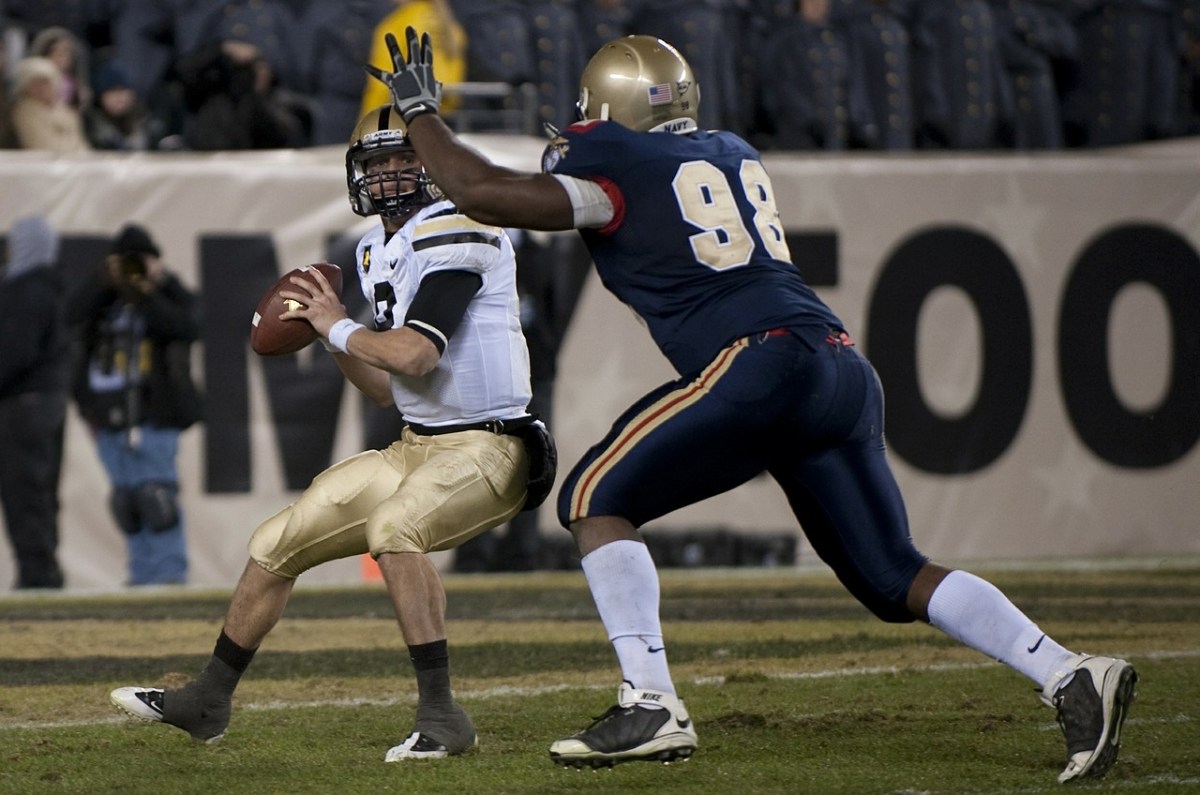
I am thrilled the Minnesota Vikings have added Brandon Bostick to our team. If you are unfamiliar with Brandon Bostick’s work, I simply refer you to the NFC Championship game this past January. You don’t need to watch the whole game; just the last few minutes. Brandon Bostick made a massive mistake that cost his team the game and a trip to the Super Bowl. It was a rookie mistake; completely preventable and avoidable.

Not surprisingly, his coaches and the team organization were not happy. While I expected it would be a long off-season for him, I really should have expected the eventual result: he was cut from the team. He was essentially fired for poor performance. To be fair, part of the decision was simple mathematics. The Green Bay Packers had three tight ends on a team that only needed two. Still, the incident in the championship game made the team’s decision much easier.

All most people know about Brandon Bostick is that he is the guy who went for the ball and flubbed it. Not a great headline for a resume.

So why I am thrilled the Vikings added this potential liability to our team?

I want him to get a second chance.

I don’t want him to be known only by his last game. Judging a person by their last play is an absolutely deadly syndrome in the NFL and in our culture. It is pure poison, for both the person and those who are evaluating the person.

Mr. Bostick, I doubt you will ever read this, but if you come across my blog, please know that I have been in your situation. There was a time in my life when I made a massive mistake. It was a rookie mistake and it was completely avoidable. It was public for the whole world to see and I couldn’t do a thing to fix it. I can only imagine what you are going through, but please know that I have walked a similar road.

I am really glad Brandon Bostick is going to get a fresh start and I hope the change is healthy for him. Perhaps he will never redeem himself on the field and in the spotlight, but he deserves a chance to be remembered for something other than that last game.

How was your last game?